
Never Lose Another Key
Stay In Control of Your Properties
Smart key tracking for property managers, assign, scan, track and audit every key, all from your phone or desktop
GDPR-compliant key management system for estate agents, letting agents, and property managers across the UK. Reduce lost keys by 90%, and eliminate costly locksmith callouts. Setup in 30 minutes.

How Keyzi Transforms Property Key Management
From QR code tracking to automated reminders and GDPR compliance, discover the complete solution that helps UK property professionals track every key, prevent losses, and save hours of admin time.
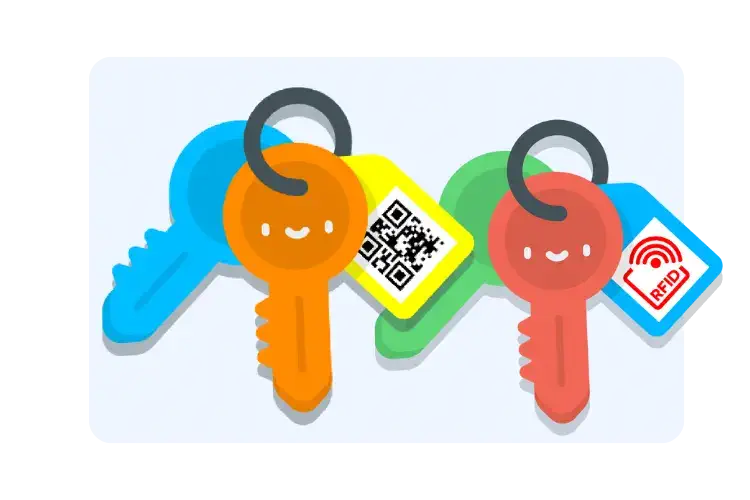
QR Code & RFID Key Tracking - Never Lose Track of Property Keys
- Assign unique QR codes or RFID tags to every property key set for instant identification and tracking
- Scan with any smartphone camera (QR) or use dedicated RFID readers for ultra-fast processing
- QR codes print on demand using our portable Bluetooth printer - no batteries required, weatherproof tags available in 24 colors
- RFID tags offer one-tap scanning, perfect for high-volume operations with multiple check-ins/check-outs daily
- Both methods integrate seamlessly with the Keyzi system, providing complete flexibility for your key management workflow
Setup takes just 5 minutes per key set. Tags are weatherproof, durable, and designed for daily use in busy property offices.
Start Tracking Keys Today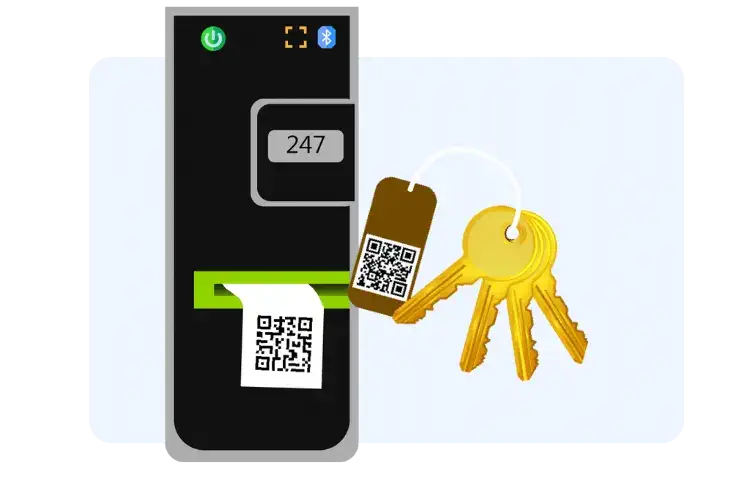
Print Your Own Key Tags - On-Demand QR Code & RFID Printing
- Access a portable, battery-powered, Bluetooth QR code printer to print tags at your convenience - no computer required
- Print tags instantly in your office, at viewings, or in the field - complete flexibility for your key management needs
- Compatible with multiple sizes of tags and 24 different colour tapes to help with key tracking and organisation
- Weatherproof, durable tags designed for daily use in busy property environments - won't fade or peel
Printer cost: one-time. Each roll of tags prints 200+ labels. Available in 24 colors to organize keys by property type, area, or status.
Explore Key Tag Printing
Mobile Check-in/Check-out App - Manage Keys From Anywhere
- Available for iOS and Android - staff can check keys in/out from the office, at viewings, or in the field
- Capture digital signatures for accountability, add photo documentation, and access property information instantly
- App works offline with automatic sync when reconnected - perfect for properties in rural areas or basements with poor signal
- Check keys in/out in under 5 seconds - 10x faster than manual logbooks. Eliminate handwriting errors and missing entries.
The app requires no training - staff can start using it immediately. All data syncs securely to the cloud with end-to-end encryption.
Activate Free Trial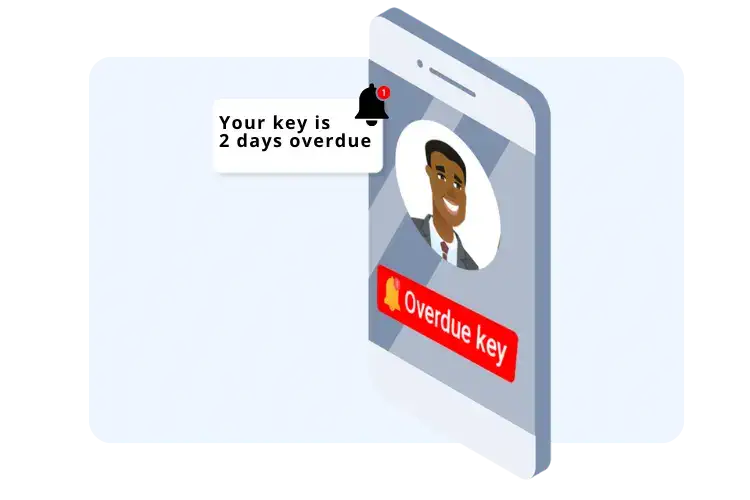
Automated Reminders & Lost Key Return - Stop Chasing Staff for Overdue Keys
- Automatic SMS and email reminders sent to staff when keys aren't returned on time - no more manual follow-ups
- Escalation system alerts managers if keys remain overdue after multiple reminders - ensure nothing slips through the cracks
- Lost key return system: when keys are found by the public, they can scan the QR code to see return instructions without viewing any property details
- Fully GDPR compliant - property addresses are masked, only showing a secure return code that directs finders to your office
- Increase lost key returns by 70% compared to traditional key tags that expose sensitive information
Set custom reminder intervals (30 mins, 1 hour, 4 hours, etc.) and escalation chains. All communications are logged for audit trails.
See How It Works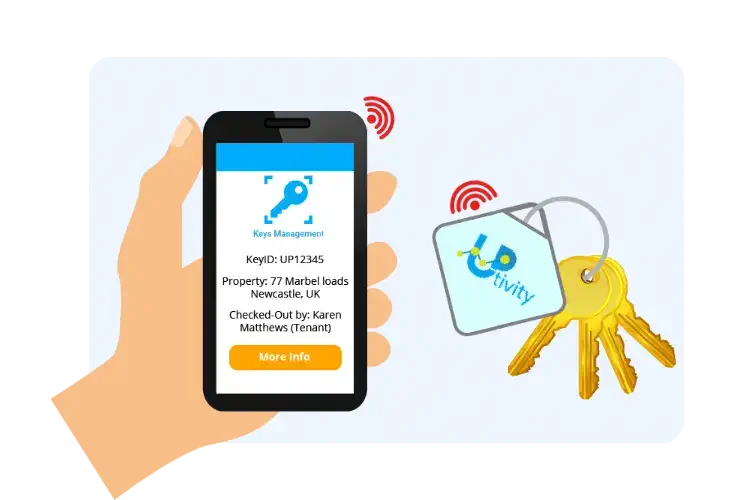
Smart Bluetooth Key Tags - Never Lose Keys with Real-Time Tracking
- Track key locations in real-time on a map - similar to Apple AirTags but designed specifically for property management
- Receive instant alerts if keys are moved outside designated areas or dropped in unexpected locations
- Trigger audible alarms to locate misplaced keys within 50 meters - no more searching through drawers and desks
- Centralized dashboard shows all tag locations across your entire key inventory with battery status monitoring
Battery life: 12+ months per tag. Replace batteries easily without specialist tools. Compatible with iOS and Android devices. Optional upgrade.
BOOK A DEMOEnhance your business further with our apps
Asset Management
Complete asset & equipment management system for properties, buildings and facilities.
Find out more


See Keyzi in Action: Smart Key Tracking for Property & Estate Agents
Everything You Need to Manage Property Keys Efficiently
GDPR-Compliant Lost Key Return
When keys are lost and found, finders can scan the QR code to see return instructions without viewing property addresses. Fully GDPR compliant with masked data protection - avoid fines
Complete Audit Trail
Every key movement is logged with date, time, user, digital signature, and optional photos. Generate detailed reports for compliance audits, insurance claims, or internal reviews. Export to CSV/PDF.
Multi-Branch Management
Manage keys across 2-20+ property office locations from one central dashboard. Set different access permissions per branch, track inter-branch key transfers, and maintain complete visibility across your entire operation.
Property Management Integration
Seamless integration with MaintainPad CMMS and other property management systems via API. Sync property data automatically, link keys to work orders, and streamline your workflow with connected systems.
24/7 Mobile Access
Access the system anytime, anywhere from any device - desktop, tablet, or smartphone. View real-time key status during viewings, check availability while on the road, and manage keys outside office hours.
UK-Based Support & Expertise
Dedicated UK-based support team available via phone, email, and live chat. Expert guidance on GDPR compliance, setup assistance, and ongoing training. Fast response times with local knowledge of UK property regulations.
Start tracking your keys today
Starting From £40/month
Book a call with an expert
Frequently asked questions
Do this:
- Tag every key set with a QR code
- Make scanning mandatory, even for quick pickups
- Set an expected return time on every checkout
Quick setup:
- Create properties, then add keys against each property
- Use search in the app to find a specific address or key fast
Good practice:
- Put “Set A, Set B, Spare” in the key name
- Keep notes on what the set includes, for example front door plus meter cupboard
How agencies use this:
- Require signatures for contractors and high-risk keys
- Use signatures for weekend viewings where handovers are rushed
- Keep the signature in the key log for quick proof later
A simple dispute-proof habit:
- Add a note like “Viewing 2pm, John S, tenant present”
- Add “Contractor, Job 4812, expected return 5pm”
If you also take photos, store them in your job record or CRM, then reference the photo link or job number in the Keyzi notes.
To make adoption stick:
- Put the QR scan button front and centre for key pickup
- Make “no scan, no key” the rule
- Use the out and in log when staff say “I returned it”
Viewing-friendly setup:
- Default return time to the end of the viewing slot
- Auto remind the key holder when overdue
- Escalate to branch manager if it stays out
How to use it:
- Reserve keys for block viewing sessions
- Reserve for inventory inspections and checkouts
- Add a note like “Viewing 11am to 1pm, Smith” for clarity
Simple Saturday playbook:
- Pre-reserve keys for all booked viewings
- Require scan return between appointments
- Use the app “Out” filter to chase late returns fast
Best practice:
- Train negotiators to search by postcode, street, or key name
- Use reservations so availability is reliable, not guesswork
To make it even faster:
- Pre-label key rings with printed QR tags
- Keep key names consistent, for example “Branch A, 22 King St, Set A”
- Use signatures only for high-risk handovers to keep flow quick
A clean habit:
- Reserve keys with the viewing time
- Add a short note like “Viewing 3:30pm, Negotiator A”
- Use the key log as your proof trail
Contractor control tips:
- Always set a same-day return time unless there is written agreement
- Record the contractor name and job reference in notes
- Escalate overdue keys to the property manager, not the negotiator
Make reminders effective:
- Send the first reminder shortly after the expected return time
- Keep the message simple, key name, branch return point, contact number
- Schedule a second reminder to a manager if still overdue
A practical escalation ladder:
- Reminder 1 to borrower
- Reminder 2 to branch admin and manager
- Reminder 3 to director or duty contact for high-risk keys
Do this consistently:
- Require scanning for every movement, even internal transfers
- Add short notes like “Inspection” or “Contractor visit”
- Pull the key log when needed, instead of relying on memory
Example:
- Note, “Job 8831, boiler repair, contractor ABC”
- Reserve key for the contractor for the agreed time window
Best practice:
- Do not print full addresses on physical tags
- Keep property details inside the system, not on the key ring
Agency setup tip:
- Use one return address per branch
- Include a clear return message, for example “Return to Branch X front desk”
- Keep the tag text neutral, no tenant names, no flat numbers
How to structure it:
- Create a property or location per branch, or per managed area
- Use consistent naming rules across branches
- Run reports monthly to audit what is out, what is overdue, and where issues repeat