
Stop Losing Materials Between the Yard and the Job

Scan items in/out, track transfers, get low-stock alerts, and keep proof of delivery, all from the app.

Know where your materials and tools are (site, van, container, yard). Stop delays, stop missing stock, stop 'it was delivered' arguments. Track stock across job sites, vans, and yards with simple mobile scanning.

Construction inventory management with delivery notifications, low stock alerts, and approved requests

Track Materials Across Every Site, With Simple Scanning

Stop job delays caused by missing stock. Cut losses from theft. Stop delivery disputes. All with barcode scanning and proof of delivery.

Low stock alert notifications for construction materials in construction site inventory system

Get a Heads-Up Before You Hit Zero

  • Set minimum stock levels for fixings, consumables, or key materials
  • Instant alerts sent to your phone or email when stock drops below your threshold
  • Avoid job delays and expensive last-minute buying
  • Set different alert levels for different items (10 units for screws, 2 units for specialist kit)
  • No more stopping work because you ran out of something

Why this matters: Running out of materials stops work and forces expensive emergency orders. Get warned before you hit zero.

See How It Works
Mobile barcode scanning app for construction materials in construction sites

Scan It In, Scan It Out, Done

  • Site teams scan barcodes/QR codes with their phone to check materials in/out, no laptop needed
  • Scan an item in under 5 seconds: Open app → Point at barcode → Tap in or out
  • No typing serial numbers, no paperwork, no spreadsheets, just scan and move on
  • Works offline and syncs later, perfect for sites with no signal or patchy coverage
  • Update stock while on site, in the van, or signing off deliveries

Why this matters: Nobody on site has time for spreadsheets. Scanning is the fastest way to keep records accurate without slowing anyone down.

Try Inventory Free
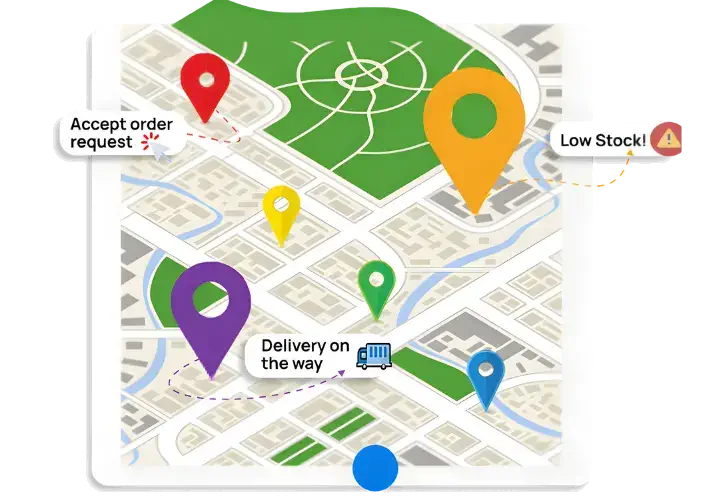
Real-time construction site inventory dashboard showing multi-location stock levels

See What's on Each Site Right Now, And What Moved Where

  • Real-time view shows what's at the yard, what's on each job, and what's in each van
  • No more driving to the yard to check stock, see everything from your phone
  • No more calling around, everyone sees the same real-time numbers
  • Track unlimited sites, vans, and containers from one dashboard
  • Move stock between jobs with a few taps, transfer history is automatic

Why this matters: Construction stock moves constantly. See where everything is right now, move it where it's needed, and avoid double-buying.

See Stock Cost Visibility
Expiration date tracking and FEFO management for construction materials

Site Requests in Seconds, Office Approves Once, Order Is Ready

  • Site teams request materials via the app (no calls, no WhatsApp)
  • Office staff approve requests and generate purchase orders instantly
  • Send orders directly to preferred suppliers, no re-typing
  • No more missed requests, forgotten orders, or "I told someone but nothing happened"
  • Complete audit trail of who requested what and when it was ordered

Why this matters: Chaotic ordering wastes time and causes delays. Streamline requests and purchasing so nothing falls through the cracks.

Start Your Free Trial
Digital proof of delivery with photos and e-signatures for construction material deliveries

No More Delivery Arguments, Signature Proof Saved to the Job

  • When deliveries arrive, capture the driver's signature in the app
  • Proof is saved against the purchase order and job, no disputes
  • See exactly what was delivered, when, and who signed for it
  • Catch wrong quantities or missing items before the driver leaves
  • Stop "we delivered it" arguments, you have digital proof

Why this matters: Delivery disputes waste time and money. Digital signatures end the arguments.

BOOK A DEMO

Track Stock on Site, Not Behind a Desk

Site teams scan items in/out with their phones. Request materials from the yard. Sign off deliveries. Check stock levels. Transfer between jobs. All from the app, no laptop required.

Built for people who work on sites, not in offices.

Invntry mobile app showing stock check-ins, check-outs, returns and re-order alerts on iPhone

See Invntry in Action: Smart Inventory Management for Construction Sites

Everything You Need to Manage School Inventory Efficiently

Predictive Stock & Inventory Icon

Predictive Stock & Inventory

Based on historic usage of stock and inventory within the business, you can manage future inventory and stock needs within the business. Preventing out of stock situations and letting your business continue to function seamlessly.

Stock & Supplies Insights Icon

Stock & Supplies Insights

With our inventory and stock control app, you can quickly access information on the stock levels at hand and essential details. Moreover, stock lead times with suppliers and use-by/expiry dates help you not only order in time but also use them efficiently.

Suppliers Deliveries Tracking Icon

Suppliers Deliveries Tracking

Cross-check deliveries against what was ordered in real time. Empower your staff to verify quantities instantly and ensure accuracy. Capture delivery photos, driver and recipient signatures as proof directly within the app.

Integration Ready Icon

Integration ready

Our Inventory & Stock Control app integrates seamlessly with your enterprise resource planning and customer relationship management systems, including industry leaders such as SAP, Microsoft Dynamics, IBM Maximo, Oracle, and Salesforce.

Custom Notifications Icon

Custom Notifications

Stay informed and in control with our Custom Notifications feature. Set personalised alerts tailored to your business needs, ensuring timely action on stock requests and low-stock items.

Digital Stock and Inventory Management Icon

Digital Stock and Inventory Management

Eliminate paperwork, streamline communication, and manage essential stock and inventory needs in real-time. For advanced features, you can use it with our other applications such as Checkki and Delivity to further improve efficiencies.

Take control of your inventory today
Starting From £37/month

SEE OUR PRICING

Book a call with an expert

Frequently asked questions

Construction companies usually struggle when materials are spread across several live projects, temporary storage areas, vehicles, and warehouses. The easiest way to control this is by using one inventory system where every site records stock movement in real time. Site teams can check what is available, request materials, and record transfers directly from mobile, while office staff see the same live data in one dashboard. This avoids duplicate orders and helps managers know exactly where materials are at any time.
Materials often go missing when there is no clear record of who took them, where they went, or why they were issued. A simple check-out process solves this by recording the item, quantity, reason, staff name, and signature each time stock leaves storage. Barcode or QR scanning makes this quick, even on busy sites, and creates accountability without slowing down work.
The best approach is to keep inventory simple enough for site teams to use daily. A construction inventory system should allow stock to be added, checked in, checked out, requested, and transferred from mobile. It should also show minimum stock levels, supplier details, and location-based stock reports so buyers and project managers can act early before shortages affect work.
Instead of sending messages or calling stores, site teams can raise a stock request directly from a mobile app by selecting the items they need and the site location. The office or warehouse team receives an alert immediately, reviews the request, and prepares the issue. This reduces delays, avoids misunderstandings, and keeps every request recorded properly.
The biggest cause of avoidable delays is discovering missing stock too late. A minimum stock threshold solves this by sending alerts when quantities fall below a set level. As soon as cement, fittings, cable, fixings, or any regularly used item reaches the minimum level, the system flags it so purchasing can act before work stops.
Before placing a new order, buyers should be able to search live stock across all locations. A good inventory system shows quantity in hand, what has already been issued, and what is still available in warehouse or site storage. This stops duplicate buying and helps use existing materials first.
Yes. Construction businesses usually need separate control for reusable tools, fast-moving consumables, and project materials. Keeping them in categories makes reporting clearer and helps teams understand what is being consumed regularly versus what should return after use.
Stock should move through clear check-in and check-out records. When materials arrive at warehouse, they are checked in. When they move to site, they are checked out against that project or location. This gives managers a live picture of what remains in central stores and what is already allocated elsewhere.
When deliveries arrive, site teams should scan items, record quantities received, add supplier invoice details, note the delivery contact, and capture a signature. This creates proof of delivery immediately and reduces disputes later if quantities do not match what was expected.
The easiest way is to link incoming stock directly to a purchase order. When materials arrive, teams can compare what was ordered against what has actually been delivered and record shortages straight away. Supplier invoice numbers can also be saved for later checking.
Waste usually happens because teams do not know what is already available nearby. When stock is visible across locations, unused materials can be moved before buying again. Tracking usage also helps identify which sites consistently consume more than planned.
Each stock issue should capture:
  • item
  • quantity
  • purpose
  • staff member
  • signature
This gives a full usage history and makes it easier to review where materials were used if costs start rising unexpectedly.
A transfer should work like a controlled check-out from one site and check-in at another. The sending team records what left, and the receiving team confirms what arrived. This keeps both locations accurate and avoids stock disappearing between projects.
Useful reports include:
  • stock by site
  • stock by warehouse
  • material movement history
  • low stock alerts
  • supplier delivery records
  • item usage by project
  • stock checked out by staff
Detailed reporting helps project managers understand where cost pressure is building.
Minimum stock thresholds are the simplest answer. Once quantities fall below the set level, notifications appear in the system and can also be sent by email or SMS so purchasing teams know action is needed immediately.
Yes. Barcode scanning works well because it removes manual entry and speeds up stock recording. Even if materials arrive without internal labels, the system can use supplier barcodes or generate its own barcode for future use.
Each delivery should capture:
  • supplier name
  • invoice number
  • quantities delivered
  • shortages
  • delivery contact
  • signature
That makes supplier performance easier to review over time.
Cost control improves when businesses stop:
  • duplicate ordering
  • emergency buying
  • over-issuing stock
  • losing unused materials
    • Live stock visibility usually cuts hidden waste quickly.
A mobile inventory app lets managers search stock instantly while standing on site. This is especially useful when internet is weak because offline working allows stock actions to continue and sync later.
The easiest method is to make live stock visible before any purchase request is raised. If teams can see what is already available across warehouse and sites, unnecessary buying drops immediately.

Got more questions?

Visit our FAQ page

Ready to Prevent Stockouts & Reduce Waste?

GET STARTED FREE