
Digital Inspection & Compliance Software for Schools, Colleges & Universities
Stop relying on paper checklists, logbooks, and filing cabinets. Checkki gives education facilities teams one powerful app for digital inspections, compliance checklists, photo evidence, and OFSTED-ready audit trails.
Staff complete health & safety inspections, fire safety checks, food hygiene audits, and safeguarding reviews on their phone or tablet, even offline. Every inspection is GPS-verified, photo-evidenced, and generates a professional PDF report automatically. No paper. No spreadsheets. No gaps.
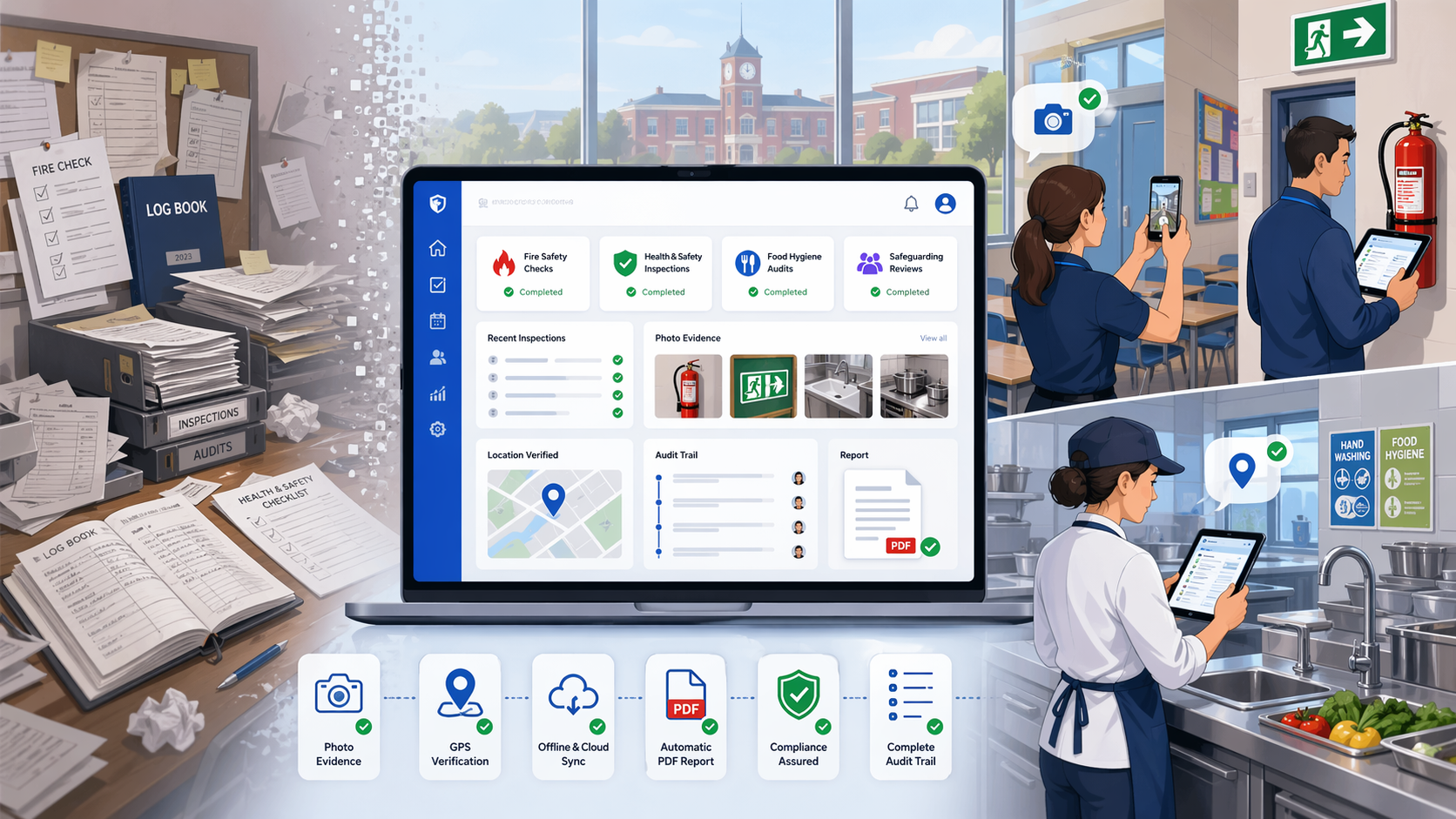
One App for Every School Inspection & Compliance Check
Checkki is built for how UK education facilities teams actually work. Used by headteachers, school business managers, caretakers, site managers, premises managers, and facilities directors across primary schools, secondary schools, academies, multi-academy trusts, colleges, and universities. Create customisable digital checklists for any compliance requirement, health & safety, fire safety, food hygiene, safeguarding, building maintenance, and more. Your team completes checks on their phone or tablet, captures photo evidence, signs off digitally, and Checkki generates audit-ready PDF reports automatically.
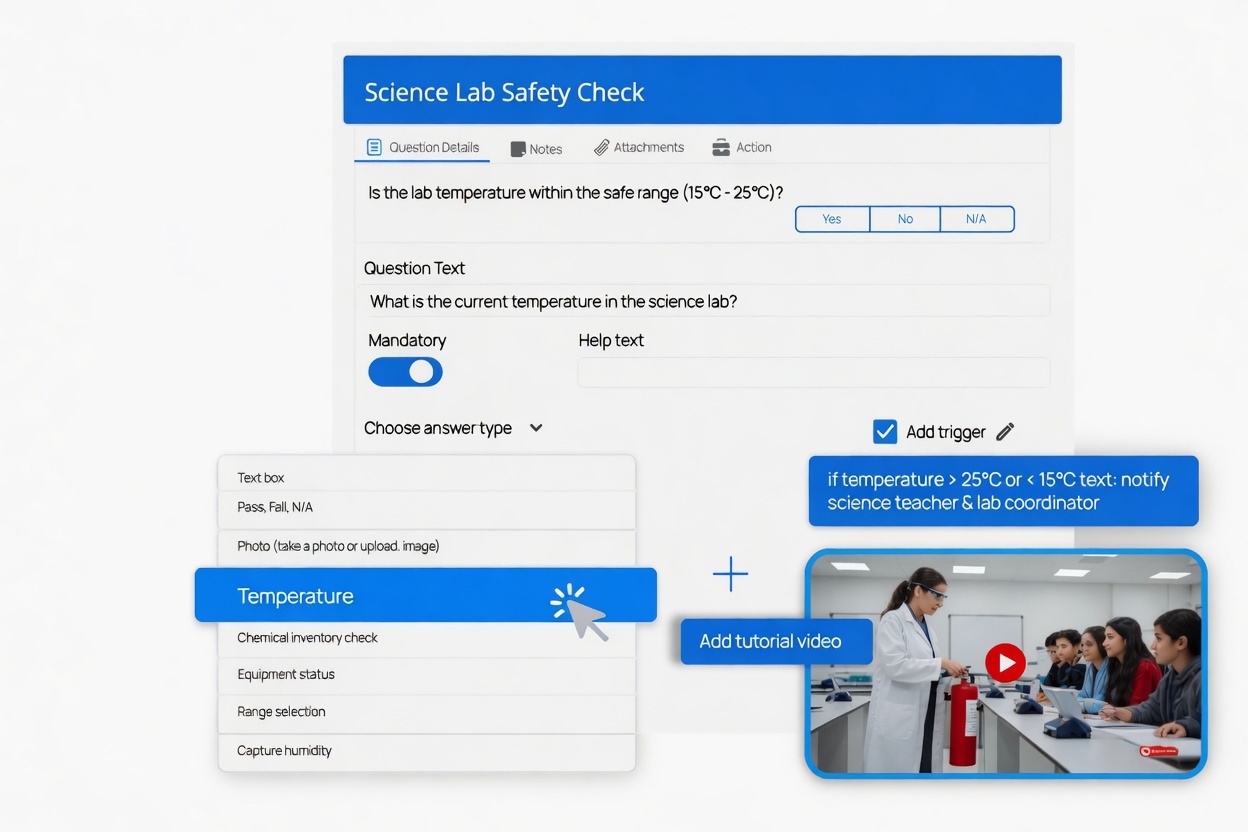
Customised Digital Checklists for Schools
- Create your own school inspection checklists from scratch or use and customise pre-designed templates for health & safety walkthroughs, fire safety logs, HACCP food hygiene checks, playground inspections, safeguarding reviews, and building maintenance
- Capture diverse data types including photos, text, dropdowns, scores, and GPS locations while incorporating IoT devices for automated readings like kitchen temperature monitoring
- Set mandatory checks so nothing important gets skipped, ensure your caretaker cannot submit a fire safety inspection without photographing every fire door and signing off every extinguisher
- Capture disclaimers & agreements with digital signatures, staff electronically sign off every completed inspection creating individual accountability for OFSTED and HSE compliance
The result: Schools replace scattered paper checklists, logbooks, and filing cabinets with one digital system. Your caretaker gets the morning safety round, your kitchen manager gets the HACCP checks, your site manager gets the fire door inspections, all customised to your school's exact requirements.
START YOUR FREE TRIAL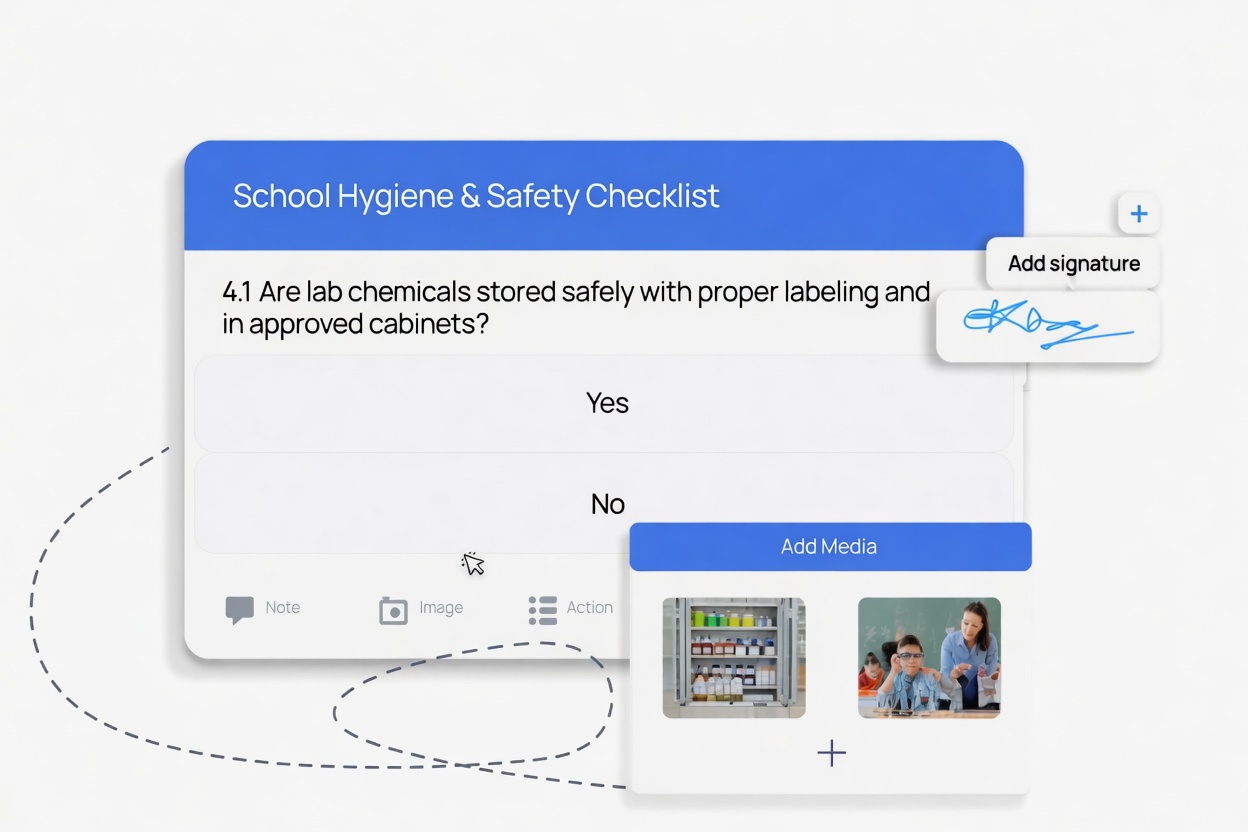
Ensure Regulatory Compliance and Safety Across Your School
- Execute regulatory and safety checks aligned with education standards including OFSTED safeguarding requirements, HSE workplace safety, Fire Safety Regulatory Reform Order, FSA food hygiene, and HACCP for school kitchens
- Conduct inspections, risk assessments, and hazard identifications across classrooms, corridors, kitchens, playgrounds, sports halls, and building fabric to uphold stringent safety protocols
- Add images as evidence for transparency, photograph hazards, damaged equipment, completed repairs, fire safety equipment, and kitchen hygiene standards as visual proof for inspectors
- Maintain a complete, searchable digital audit trail of every compliance activity, instantly accessible when OFSTED, HSE, local authority, or environmental health officers arrive for an inspection
The result: When an OFSTED inspector, governor, or fire safety officer asks "show me the evidence", your school business manager pulls up the complete inspection record with photos, timestamps, and digital signatures in seconds. No paper files. No gaps. No last-minute scrambling.
SEE HOW COMPLIANCE FEATURES WORKS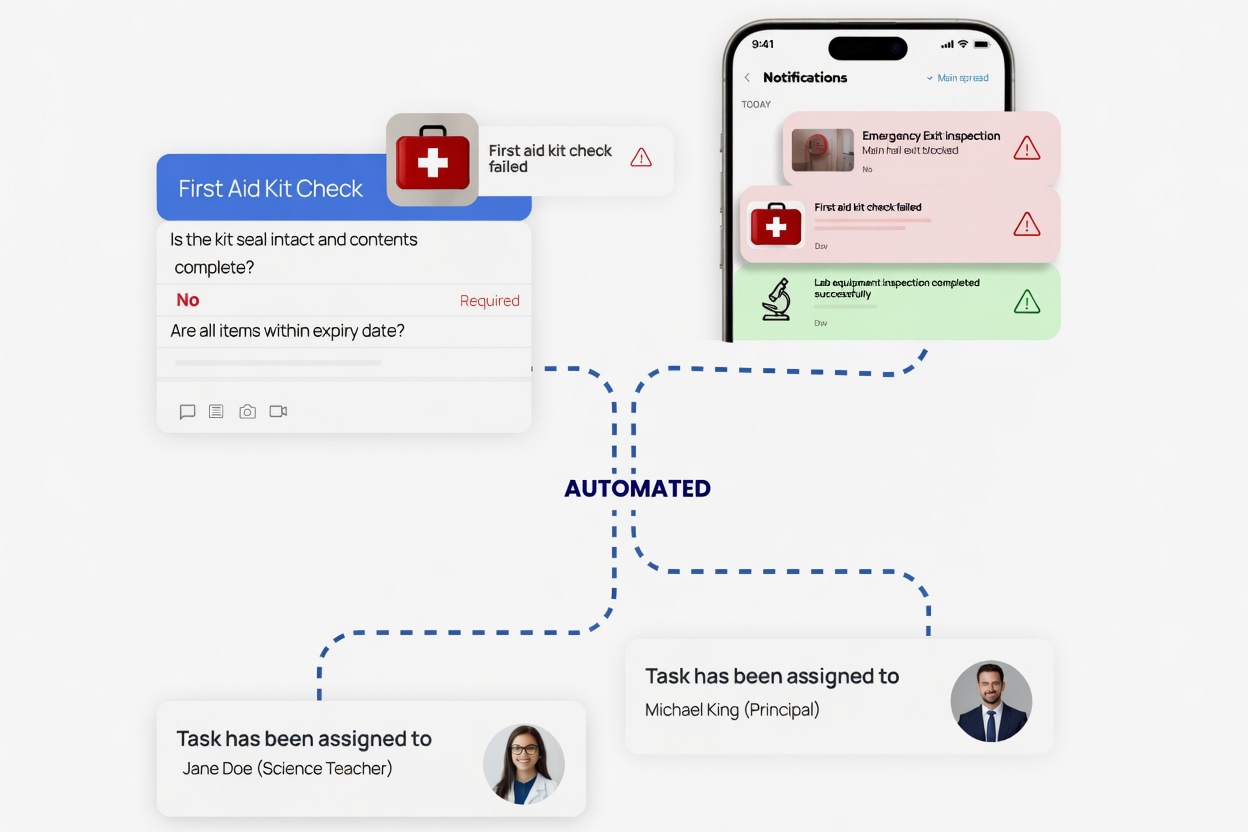
Automated Workflows That Keep Your School Compliant
- Assign necessary follow-up actions directly from completed inspections to resolve flagged items, when a fire door fails inspection or a kitchen hygiene issue is found, Checkki routes the corrective action to the right person immediately
- Specify due dates and priority levels for every task, health and safety hazards like water leaks near electrics, broken glass, or damaged fire equipment are flagged for immediate attention while cosmetic issues wait their turn
- Assign responsibilities to the relevant personnel for quick resolution, your caretaker gets building maintenance tasks, your kitchen manager gets food safety actions, your site manager gets fire safety follow-ups
- Auto allocation of actions ensures recurring compliance work runs on autopilot, weekly fire alarm tests, monthly fire door checks, and termly full building audits are automatically assigned with reminders and escalations
The result: School facilities teams stop relying on memory, verbal reminders, and good intentions. Every issue found during an inspection becomes a tracked, timestamped, accountable task that cannot be forgotten or ignored. Compliance gaps close automatically.
TRY AUTOMATED WORKFLOWS FREE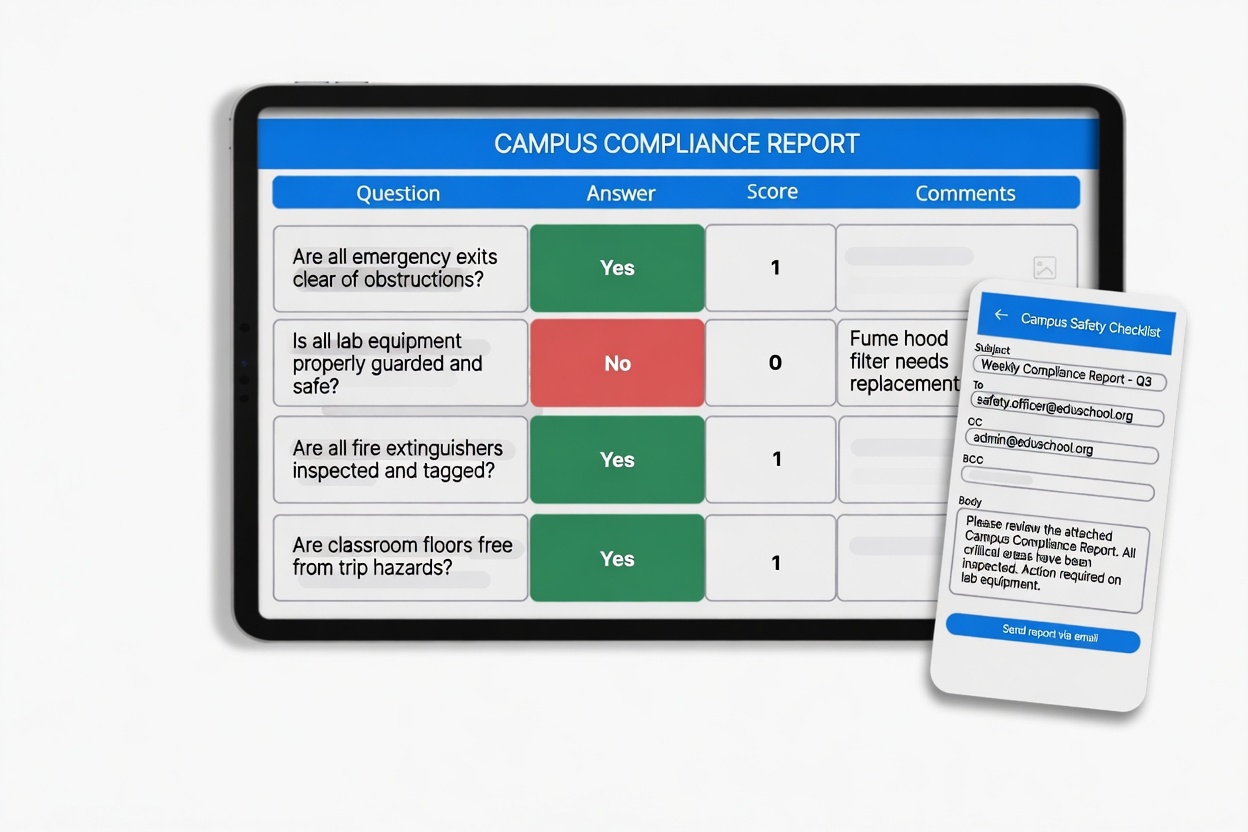
Instantly Create and Share Automated Reports for Your School
- Generate and create custom reports from your completed school inspection checklists, every health & safety walkthrough, fire safety check, kitchen audit, and playground inspection produces a professional PDF report automatically
- Share reports with your headteacher, governors, local authority officers, or OFSTED inspectors directly from the app, reducing administration time and eliminating manual report formatting
- Enjoy full customisation capabilities to tailor the reports to your school's specific needs, add your school logo, include only relevant sections, and format evidence to match governor or trust reporting requirements
- Reports include all photo evidence, GPS verification data, digital signatures, timestamps, and corrective actions, creating a complete, audit-ready compliance record
The result: Your caretaker completes the morning safety round and the PDF report is already in the headteacher's inbox before break time. No typing up findings, no formatting spreadsheets, no chasing staff for missing information. OFSTED-ready reports generated in seconds, not hours.
SEE AUTOMATED REPORTS IN ACTION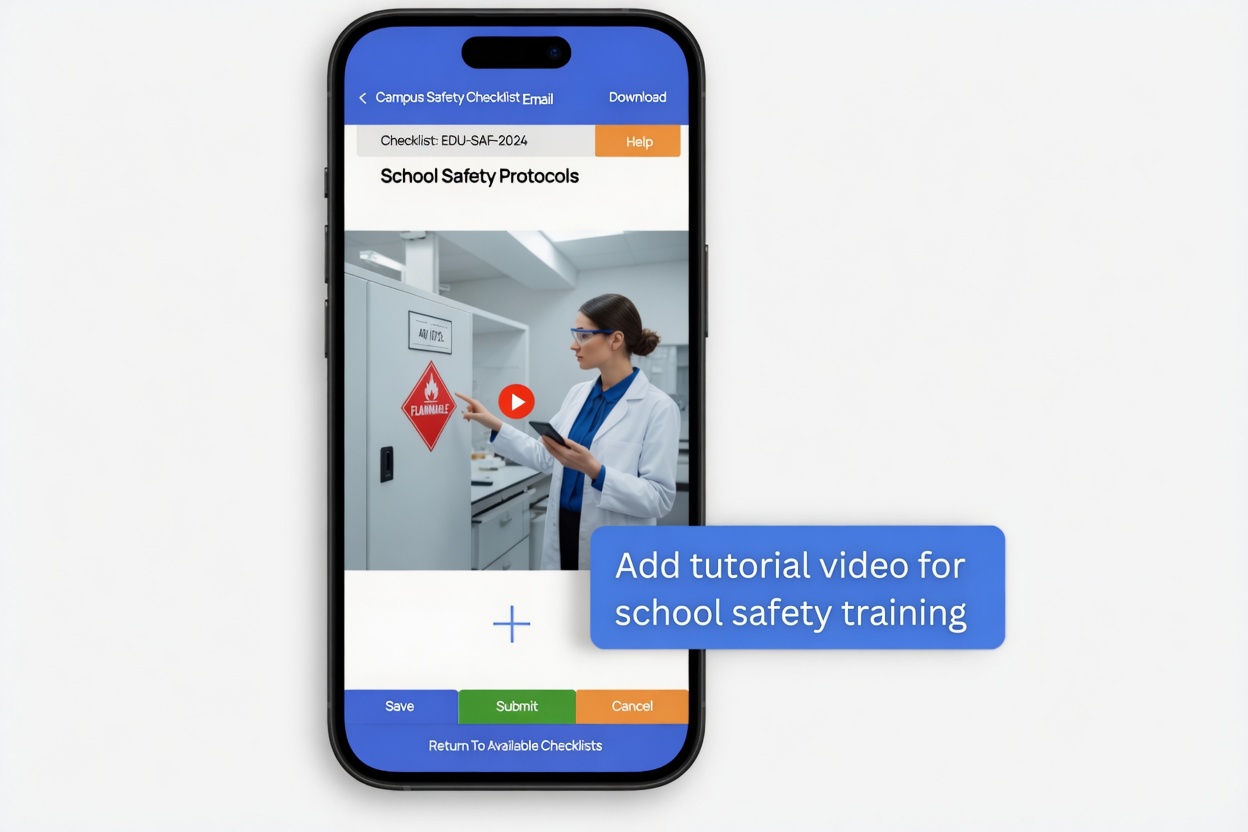
Train Your School Staff Within the Inspection App
- Create task lists for your caretakers, kitchen staff, site managers, and facilities teams so they understand exactly how to complete each inspection properly, from fire door checks to HACCP temperature logs
- Attach training videos to tasks for complex or skill-based procedures, new staff or supply teachers watch a short video explaining how to complete a fire safety check, legionella flush, or allergen inspection right within the checklist
- Reduce reliance on verbal handoffs and institutional knowledge, when your experienced caretaker is absent, their replacement follows the same guided checklist with embedded instructions and video walkthroughs
- Ensure consistent inspection quality across all staff and all sites, every person completing a check follows the same process, captures the same evidence, and meets the same compliance standard
The result: A supply teacher covering morning duty sees the QR code on the corridor wall. They scan it, a health and safety walkthrough checklist opens with a training video explaining each item, they complete the inspection with photos and submit. No need to ask the office what to do or where to find the form.
TRY STAFF TRAINING FEATURES FREE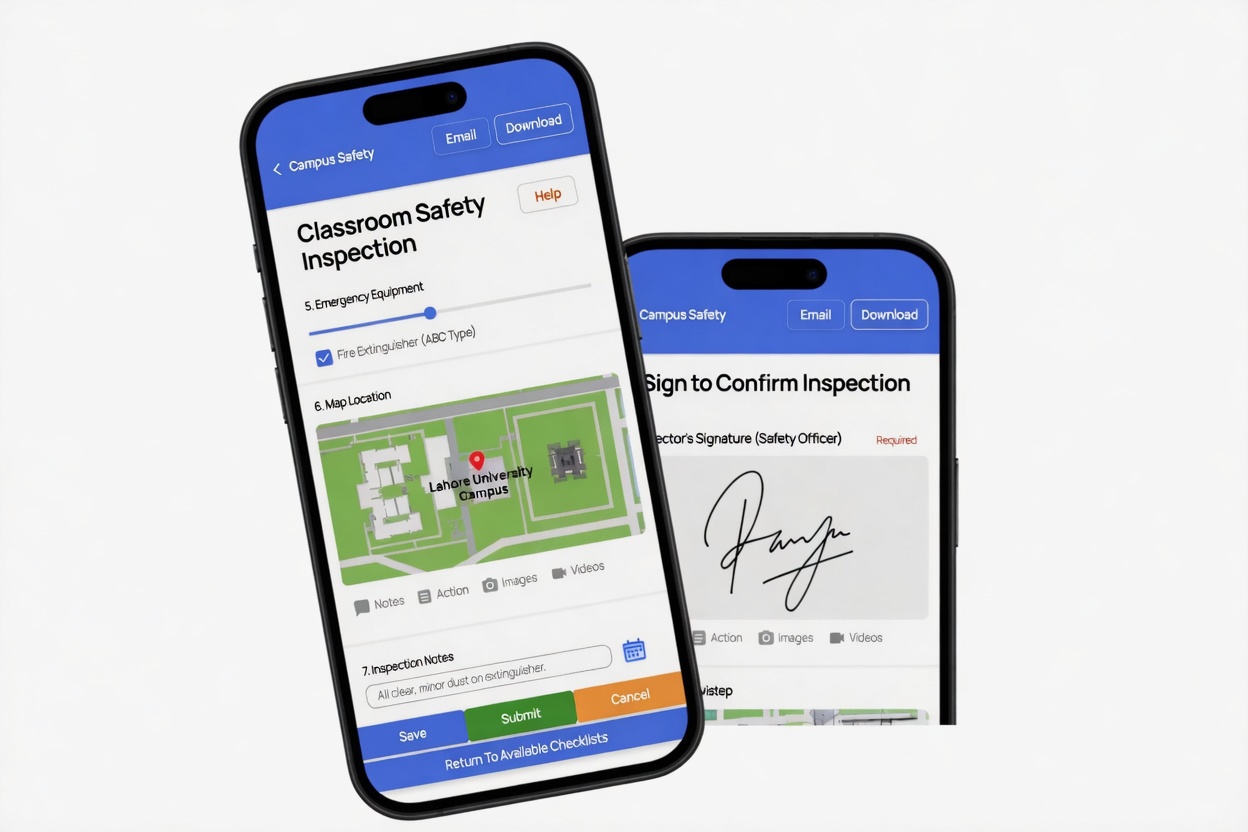
Location Based Checks and Digital Signatures for Schools
- Implement location-based checks to ensure your caretaker, site manager, or facilities team member is physically present at the correct building, floor, or outdoor area when completing their assigned inspection
- Use GPS technology to verify staff presence at designated school locations, proving to OFSTED and HSE that inspections were genuinely carried out on-site, not completed remotely or retrospectively
- Capture disclaimers and agreements digitally to speed up documentation processes, staff electronically sign off completed fire safety checks, health & safety walkthroughs, and safeguarding reviews within the inspection app
- Enable staff to sign agreements electronically, reducing paperwork and administration time, every signed inspection creates a legally defensible record tied to a named individual with timestamp and GPS coordinates
The result: Complete accountability for every inspection. When a governor asks "was this safety check actually done on site?", you show them the GPS-verified location, the timestamped photos, and the digital signature of the staff member who completed it. No ambiguity, no disputes.
SCHEDULE A DEMOSchool Inspections on the Go
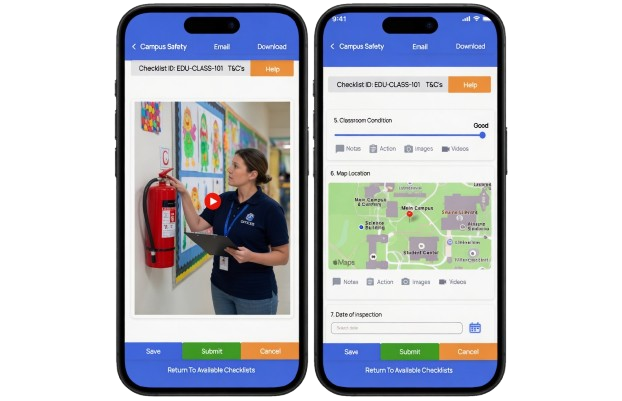
Conduct inspections and ensure compliance from anywhere on your school site with Checkki's mobile apps for iOS, Android, and desktop. Works fully offline in basements, boiler rooms, and kitchens, then syncs automatically when you reconnect.
We are fully mobile, are you?
See How Schools Run Inspections and Stay Compliant with Checkki
Watch a 2-minute walkthrough of how headteachers, school business managers, caretakers, and facilities teams across schools, academies, colleges, and universities use Checkki every day, from a caretaker completing the morning health & safety round on their phone, to the school business manager pulling up a complete compliance report for an OFSTED inspector in under 30 seconds.
Everything Your School Needs for Inspection & Compliance, Built In
Instant Alerts for Schools
Receive instant alerts directly to your devices, triggered by specific inspection responses. When a caretaker flags a health and safety hazard, broken fire equipment, or a failed kitchen hygiene check, the right person is notified immediately. Customise notifications based on your school's priorities so urgent safety issues never go unnoticed.
Traceability and Quality Control
Trace every stage of your school's compliance lifecycle. Gain comprehensive insight into the full history of every inspection, from initial check to corrective action to resolution. Track recurring faults by building, room, or equipment to identify patterns, plan preventive maintenance, and build evidence for capital expenditure requests.
Team Collaboration Across Your School
Delegate tasks to other teams and departments across your school. Assign specific checks for each member, your caretaker handles building safety, your kitchen manager handles HACCP, your site manager handles fire safety. Collaborate with colleagues on different checklists and share inspection results across the whole facilities team.
Data Safety and Security (GDPR)
Experience encrypted communication, GDPR-compliant security, and ISO Certified Data Centres guaranteeing 99.9% uptime, backups, and disaster recovery for seamless and secure operations. Essential for educational settings where inspection data may include photos of school premises, staff information, and compliance records relating to student safeguarding.
Insights and Analytics for Education
Identify departmental or staff level areas of improvement, performance trends, and compliance gaps with the Checkki analytics dashboard. Monitor inspection completion rates across buildings, track overdue tasks by site, and generate trust-wide compliance reports for governors, headteachers, and multi-academy trust leaders.
Share Checks Using QR Codes
Easily provide access to checklists by placing QR codes in school kitchens, boiler rooms, corridors, reception areas, and on equipment. Staff scan the QR code on the Checkki app to access the correct checklist instantly, no searching, no login confusion. Each QR code links to the specific checklist for that location with its own complete inspection history.
Ensure safety and compliance with Checkki today.
Starting from £150/month
Book a call with an expert
Frequently Asked Questions
The biggest gain is consistency. Everyone follows the same checklist, the same questions, and the same evidence process every time. That means fewer missed steps, less paperwork, and a much clearer record of what was done.
That matters when a governor, auditor, or inspector asks for evidence. Instead of saying “we think this was done,” the school can show the submitted checklist, the location verification, the photos, and the named staff member who signed it off. The transcript also shows that the app captures signatures and location as part of the checklist process.
It also helps after something fails. If a problem is found, the system can create an action, assign it to the right person, add a due date and priority, and keep it visible until it is dealt with. That closes the gap between “we noticed the problem” and “we actually fixed it.”
In practice, that makes audits less stressful. When someone asks for a fire check record, a health and safety walk, or proof of a completed review, the team can pull up the checklist and report straight away. The transcript also shows that staff can email reports directly from the app and the system creates a PDF automatically.
A good audit trail should not only show that a check happened. It should also show what was found, what failed, what actions were raised, and whether those actions were completed. That is where digital systems are much stronger than paper, because the trail stays linked from first inspection to final sign-off.
That is useful because fire door checks often fail when the process is too loose. A digital checklist can require the member of staff to complete every field, attach the right photo, and flag any defect immediately. If a problem is found, it can then be turned into a follow-up task for the right person.
This makes the process easier to prove and easier to review. Instead of flipping through a paper book, school leaders can pull up the record instantly and see whether the weekly test was done on time, who completed it, and whether anything needs attention.
That means a hazard does not have to wait until someone is back in the office. If a caretaker spots broken glass, a damaged fire extinguisher, or a leak near electrics, they can log it there and then, attach proof, and pass it straight into the next action.
This matters because finding a problem is only the first step. A good system should also show who is responsible for fixing it, whether it is still overdue, and when it was signed off. The transcript backs this up too, showing that actions can be added for other team members when issues are found.
The practical benefit is simple: kitchen staff complete the right checks on a phone or tablet, attach evidence if needed, and submit everything into one clear record. That reduces paperwork and gives the school a much easier way to prove routines were followed.
In real terms, that means staff do not have to remember what should be written down and where. The checklist guides them, the required items can be made mandatory, and the finished record is stored automatically for later review.
That is helpful for busy school kitchens because it keeps temperature records in the same place as the rest of the kitchen checks. Staff can complete the task on the spot, even if they are not sitting at a desk, and the record is ready for reporting later.
That makes the evidence easier to retrieve when needed. Instead of searching through folders, the school can open the inspection, review the details, and share the report with the right people straight away.
That matters because water hygiene checks often fall down when they depend on memory or one experienced person. A guided digital checklist makes the task easier to repeat correctly, even when a different member of staff has to do it.
That is especially useful for larger campuses and groups of buildings. Instead of each site running its own disconnected process, leaders can see what has been done, what is late, and where follow-up is needed without asking each team separately.
That gives MATs a better balance between consistency and local ownership. Each school can carry out its day-to-day checks, but trust leaders can still compare activity, spot overdue work, and identify schools that need extra support.
That means staff can still complete inspections where the job actually happens, instead of writing notes on paper and re-entering them later. It saves time and reduces the risk of missing details.
This is useful because it removes guesswork. Staff do not have to search for the right form or remember which version to use. They scan, complete the check, and submit it against the right place straight away.
That means reporting should do two jobs. First, it should prove what happened. Second, it should show patterns, like repeated faults, overdue actions, or weak areas that need attention before they become bigger problems.
For schools and trusts, it is also worth looking for QR-code access, embedded guidance for staff, multi-site reporting, and a clean audit trail. Those features help when staff change, sites get busy, and leaders need proof quickly rather than more admin work.