
Know Where Your Assets Are, Pass Audits Without Panic
Track Equipment Across Campuses. Reduce Loss. Automate Procurement. Pass Audits With Confidence.
Invntry is school inventory management software designed for K-12 schools, colleges, and universities. Track student devices, lab equipment, and supplies with QR code scanning. Reduce equipment loss by 40%, save 10+ hours weekly, and maintain GASB-34 compliance, all from one mobile platform.

Purpose-Built for Education Asset Tracking
Essential features that help K-12 schools, colleges, and universities track devices, prevent equipment loss, and maintain GASB-34 compliance, all from one intuitive mobile platform.

Know Who Has What, Equipment Accountability That Actually Works
- QR code check-in/check-out creates digital accountability for every asset, Chromebooks, projectors, lab equipment, instruments
- Students and staff scan equipment out with their phones, creating instant digital records of who has what
- See real-time location of every asset, which classroom, which lab, which student currently has it
- Automatic overdue reminders reduce missing equipment by 40%, no more chasing lost devices
- Complete movement history for audits, prove who had what, when it moved, where it went
Why this matters: Equipment disappears between classrooms, labs, and campuses. QR check-in/check-out creates accountability and dramatically reduces loss.
Activate Free Trial
Multi-Campus Tracking, See All Equipment Across All Sites
- Track assets across multiple campuses, buildings, departments, and storage rooms in one system
- Transfer equipment between sites with a scan, complete inter-campus audit trail automatically
- District administrators see everything, individual schools manage their own inventory autonomously
- Perfect for school districts, multi-academy trusts, and universities with 2-50+ locations
- Eliminate "its at the other campus" excuses, know exactly which site has which equipment
Why this matters: Multi-campus schools cannot track equipment movement between sites. Unified visibility eliminates duplicate purchases and enables equipment sharing.
See Stock Visibility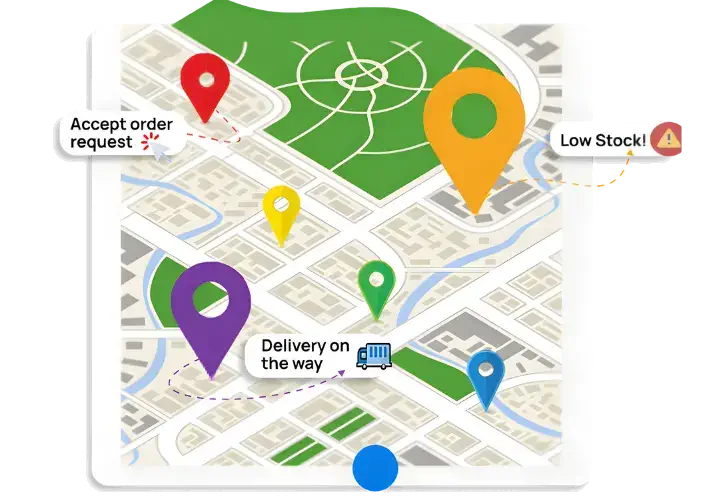
Audit-Ready Reports, Pass Inspections Without the Panic
- Every QR scan creates a permanent audit trail, complete accountability for every asset movement
- No more walking to storage rooms to check, access inventory from any device
- No more calling other departments, everyone sees the same up-to-date numbers
- Multi-location support, manage 5 schools or 50 campuses from one dashboard
- Transfer equipment between sites instantly based on actual needs
Why this matters: Education happens 24/7 across multiple locations. Real-time visibility means you can make informed decisions about what to order and transfer equipment immediately.
Try Inventory Free
Equipment Lifecycle Management, Track Maintenance & Usage
- Invntry tracks maintenance schedules, warranty dates, and equipment age automatically
- Set alert thresholds (30, 60, or 90 days before maintenance due) and the system notifies relevant staff
- Maintenance reminders ensure equipment is serviced on schedule and lifecycle planning is proactive
- No more finding expired medications months later or writing off thousands in wasted supplies
- Serial number and asset tag tracking for complete traceability and audit management
Why this matters: Poor maintenance tracking leads to equipment breakdowns and unexpected replacement costs. Proactive maintenance extends equipment lifespan by 30% and reduces breakdowns.
See Multi-Campus Inventory Control
Track Deliveries Accurately, Photos, Signatures & Proof
- When equipment arrive, staff use the mobile app to capture delivery photos and digital signatures from couriers
- Essential for high-value equipment, high-value devices, and expensive lab equipment
- Complete chain of custody documentation, know exactly who received what, when, and from which supplier
- Automatically match deliveries against purchase orders to catch discrepancies immediately
- Reduce disputes with suppliers and prevent theft, errors, or missing items
Why this matters: Accurate receiving prevents theft, errors, and disputes with suppliers. For high-value equipment, complete traceability is legally required and critical for grant compliance.
BOOK A DEMOStock & Inventory Control on Mobile
Empower your staff to request stock from mobile when they're going missing. Your staff can record incoming deliveries and match them with originally ordered items using a mobile device too. Management can see the real-time stock and inventory levels too.
We are fully mobile, are you?

See Invntry in Action: Smart Inventory Management for Schools, Colleges & Universities
Everything You Need to Manage School Inventory Efficiently

Predictive Stock & Inventory
Based on historic usage of stock and inventory within the business, you can manage future inventory and stock needs within the business. Preventing out of stock situations and letting your business continue to function seamlessly.

Stock & Supplies Insights
With our inventory and stock control app, you can quickly access information on the stock levels at hand and essential details. Moreover, stock lead times with suppliers and use-by/expiry dates help you not only order in time but also use them efficiently.

Suppliers Deliveries Tracking
Cross-check deliveries against what was ordered in real time. Empower your staff to verify quantities instantly and ensure accuracy. Capture delivery photos, driver and recipient signatures as proof directly within the app.

Integration ready
Our Inventory & Stock Control app integrates seamlessly with your enterprise resource planning and customer relationship management systems, including industry leaders such as SAP, Microsoft Dynamics, IBM Maximo, Oracle, and Salesforce.

Custom Notifications
Stay informed and in control with our Custom Notifications feature. Set personalised alerts tailored to your business needs, ensuring timely action on stock requests and low-stock items.

Take control of your inventory today
Starting From £37/month
Book a call with an expert
Frequently asked questions
- stock by department
- low stock items
- supplier deliveries
- item movement
- issued equipment
- stock by staff member