
Inventory That Works at Kitchen Speed
Cut Waste, Save Time, Never Run Out of Key Ingredients
Stop wasting food and losing money on poor stock control. Invntry gives hotels, restaurants, and catering businesses instant visibility into what you have, what you need, and when to reorder, with barcode scanning, smart alerts, and real-time tracking that actually works in busy kitchens.


See Stock Instantly, No Guessing, No Surprises
- Know exactly what you have right now, from fresh produce to beverages to linens
- Get alerts before you run out of key ingredients, stop mid-service panic
- Real-time updates mean you always know stock levels without doing full counts
- Automatic low-stock warnings sent to your phone, reorder before it's too late
- No more running out of chicken stock on Friday night or overstocking perishables
Real kitchen outcome: Restaurants and hotels deal with lots of perishables, you hate surprises. Real-time visibility means you avoid running short mid-service or overstocking and wasting ingredients.
Try Inventory Free
Scan Stock in Seconds with Your Phone, No Clipboards
- Use your phone or tablet to scan items right in the kitchen, cooler, or stock room
- Update inventory in under 10 seconds: Point → Scan → Done
- No pen-and-paper, no spreadsheets, no manual counting errors
- Works offline and syncs automatically, perfect for basement storage or walk-in freezers
- Kitchen staff, bar staff, and housekeeping can all update stock on the move
Real kitchen outcome: Hospitality teams are always moving. Scanning items on the floor or in the cooler with a phone saves massive time versus pen-and-paper or spreadsheets.
See Stock Visibility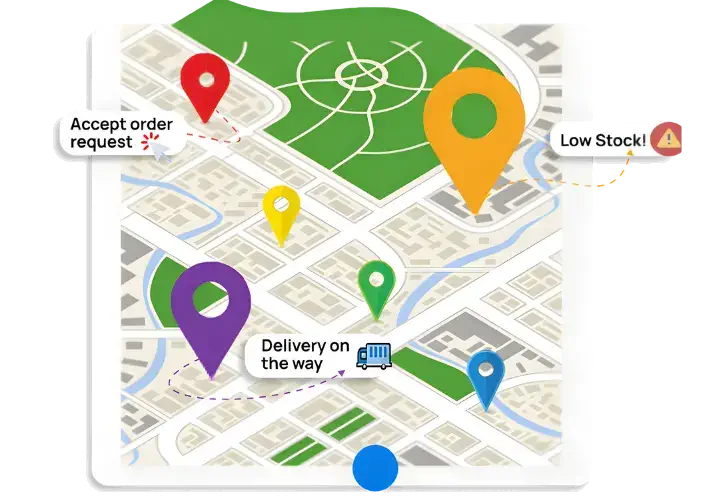
See What You Have Without Doing a Full Count
- Dashboard shows exactly what's in stock right now, no walking to storage rooms
- Check stock levels from your phone, tablet, or computer, anywhere, anytime
- Track stock across multiple locations, manage all your kitchens from one place
- See movement history, who took what and when (so shrinkage goes down)
- Know which items are running low before you start prepping for service
Real kitchen outcome: No more guessing what's left in the walk-in. See stock levels instantly so you can plan menus, prep lists, and orders without doing manual counts.
Track Stock Free
Never Overstock or Stockout Again, Smart Reorder Points
- Set reorder thresholds based on your actual usage, the system tells you when to order
- Stop food waste from perishables sitting too long or spoiling before use
- Automatic alerts when items hit reorder levels, no more surprise shortages
- Track expiration dates and get warnings before food goes bad (3, 7, or 14 days out)
- Use older stock first with FEFO rotation reminders, reduce waste automatically
Real kitchen outcome: Software that tells you when to reorder based on usage prevents both sudden stockouts and waste from ordering too much at once. Cut your biggest hidden cost, food waste.
See Multi-Site Hospitality Inventory
Who Moved What? See Every Change in One Clear Timeline
- Track who took items, when they took them, and where they went, reduce shrinkage instantly
- See movement history for every item, perfect for fast-moving supplies like condiments, linens, beverages
- Digital proof of who received deliveries with photos and signatures, no disputes with suppliers
- Complete audit trails for compliance and food safety inspections, everything timestamped
- Catch issues early when items go missing or usage spikes unexpectedly
Real kitchen outcome: Hotels and restaurants have lots of small, fast-moving items that get misplaced. Traceability means you see who took what and when, so shrinkage goes down.
BOOK A DEMOStock & Inventory Control on Mobile
Empower your staff to request stock from mobile when they're running low. Your staff can record incoming deliveries and match them with originally ordered items using a mobile device too. Management can see the real-time stock and inventory levels too.
We are fully mobile, are you?

See Invntry in Action: Smart Inventory Management for Hotels, Restaurants & Catering
Everything You Need to Manage School Inventory Efficiently

Predictive Stock & Inventory
Based on historic usage of stock and inventory within the business, you can manage future inventory and stock needs within the business. Preventing out of stock situations and letting your business continue to function seamlessly.

Stock & Supplies Insights
With our inventory and stock control app, you can quickly access information on the stock levels at hand and essential details. Moreover, stock lead times with suppliers and use-by/expiry dates help you not only order in time but also use them efficiently.

Suppliers Deliveries Tracking
Cross-check deliveries against what was ordered in real time. Empower your staff to verify quantities instantly and ensure accuracy. Capture delivery photos, driver and recipient signatures as proof directly within the app.

Integration ready
Our Inventory & Stock Control app integrates seamlessly with your enterprise resource planning and customer relationship management systems, including industry leaders such as SAP, Microsoft Dynamics, IBM Maximo, Oracle, and Salesforce.

Custom Notifications
Stay informed and in control with our Custom Notifications feature. Set personalised alerts tailored to your business needs, ensuring timely action on stock requests and low-stock items.

Take control of your inventory today
Starting From £37/month
Book a call with an expert
Frequently asked questions
- stock by location
- low stock alerts
- item movement history
- supplier deliveries
- high-use products
- staff check-outs