
Keep Every Key Accountable, Protect Guests, Staff & Property
Real-time key tracking for busy hotels, resorts and vacation rental teams , no more lost keys, chaos or time wasted.
Know exactly who has what key, when they took it, and when it's due back. From guest rooms to back-of-house facilities, reduce security risks and eliminate delays with mobile key management built for hotel operations.

Track Every Hotel Key in Real-Time, Cut Lost Key Costs & Protect Your Guests
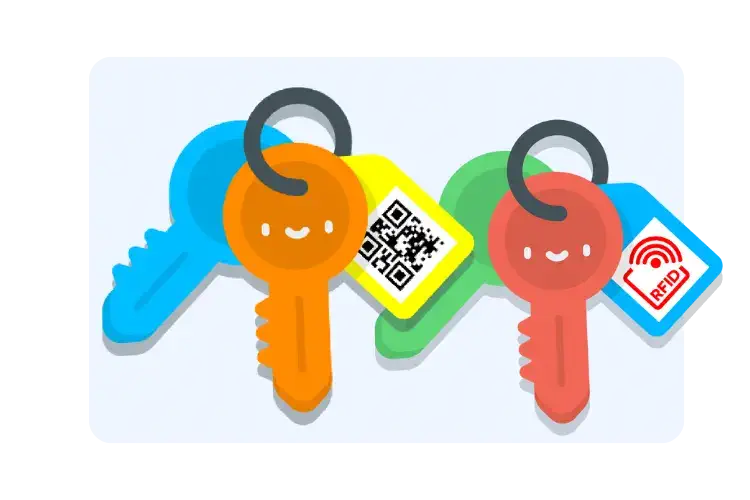
Fast Check-In & Check-Out with QR or RFID, No Paper Logs, No Lost Keys
- Scan QR codes or RFID tags with any smartphone, no expensive hardware needed
- Housekeeping staff check out room keys in seconds, not minutes
- Automatic digital signature capture creates instant accountability
- Works offline , staff can scan keys even without WiFi connection
- Color-coded tags (24 colors) organize keys by floor, department or building
Front desk and housekeeping teams save 10-15 minutes per shift. That's 90+ hours annually per property eliminated from key admin.
See How Fast It Works Book a DemoKnow Who Has Every Key, Prevent Delays and Security Risks
- Live dashboard shows all keys checked out, by whom, and when they're due back
- Automatic SMS/email alerts when keys aren't returned on time
- Prevent room cleaning delays, housekeeping knows exactly when keys are available
- Security alerts if master keys or facility keys are overdue
- Optional Bluetooth smart tags track key locations in real-time (like Apple AirTags for hotels)
Hotels report 75% reduction in key-related delays after implementing automated alerts. No more chasing staff for missing keys.
Start Free Trial

Track and Manage Keys From Your Phone, Perfect for Busy Hotel Teams
- Housekeeping staff scan keys at cleaning carts, not reception desks
- Maintenance teams check out facility keys while on the move
- Managers monitor key status from anywhere , lobby, restaurant, or off-site
- Works on iOS and Android , use staff's existing smartphones
- No expensive hardware, no dedicated terminals, no fixed locations
Mobile-first design means adoption is instant. Staff use their existing phones , no new devices, no training complexity.
See Key Check-In WorkflowEvery Key Movement Logged, Full Accountability for Safety & Compliance
- Complete audit trail: who, what, when, why, for every key transaction
- Digital signatures create legal accountability for key holders
- Export reports for insurance claims, security audits, or compliance reviews
- Track patterns: which keys go missing most, which staff need retraining
- Essential for franchise compliance and regulatory requirements
Full audit trail satisfies insurance requirements and reduces liability. Many hotels lower insurance premiums by demonstrating robust key accountability.
Start Tracking Keys
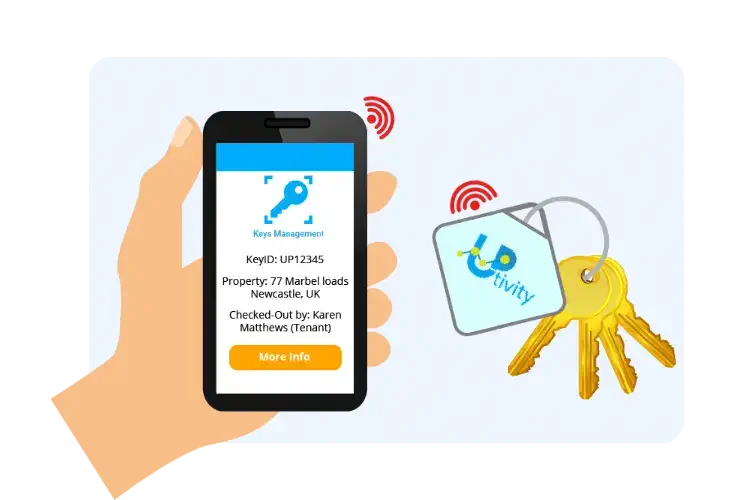
One System for Every Key, Guest Rooms, Facilities, Engineering, Vehicles
- Manage all key types in one system: rooms, facilities, vehicles, equipment
- Separate permissions for front-of-house vs. back-of-house staff
- Track master keys, sub-master keys, individual room keys separately
- Perfect for resorts with multiple buildings, pools, spas, golf facilities
- Multi-property hotel chains manage keys across all locations from one dashboard
Standardize accountability across your entire portfolio. Resort operations with scattered facilities find this especially valuable, one system for everything.
See Reminder SettingsEnhance your business further with our apps
Asset Management
Complete asset & equipment management system for properties, buildings and facilities.
Find out more


See Keyzi in Action: Smart Key Management for Hotels, Restaurants & Hospitality
Everything Hotels Need for Complete Key Control
Digital Signature Capture
Create accountability with digital signatures on every key transaction. Complete audit trail for security reviews and investigations. Staff are more careful when they've signed for hotel keys.
GDPR Compliant Lost Key Return
When hotel keys are lost outside, anyone can scan the QR code and see return instructions,without viewing property addresses. Increases key recovery rate while protecting guest privacy.
Multi-Property Management
Manage keys across multiple hotels, resorts, or vacation rentals from one dashboard. Perfect for hotel chains, property management companies, and Airbnb hosts with multiple listings.
Real-Time Key Tracking Dashboard
View real-time dashboard showing all keys, who has them, and when they're due back. Filter by department, floor, key type, or staff member. Generate audit reports for management.
Role-Based Access Controls
Create different permission levels for front desk, housekeeping, maintenance, and management. Control who can check out master keys, view reports, or modify key information.
Custom Reports & Analytics
Track key usage patterns, identify frequently lost keys, analyze staff performance, and generate custom reports for management meetings. Export to CSV or PDF for audits.
Start tracking your keys today
Starting From £40/month
Book a call with an expert
Frequently asked questions
Do this in hotels:
- Tag every housekeeping key set (floor keys, store keys, linen keys).
- Make “scan to take” the rule at start of shift.
- Set an expected return time for every key check-out so late returns get chased automatically.
Practical setup:
- Create keys against your rooms/areas (e.g., “Floor 3 – Service Key Set”).
- Require staff to scan on check-out so the “who” is always accurate.
- Use search in the app to find a key by name/location fast.
Hotel workflow that works:
- Reserve key sets for planned room runs / deep cleans / VIP prep.
- Set expected pickup/return times so keys don’t disappear mid-shift.
- If a key is misplaced, use smart-tag tracking (where enabled) to locate it quicker.
How to make reminders actually work:
- Always set an expected return time when checking keys out.
- Use one reminder to the staff member first, then escalate if it stays overdue.
- Keep the message simple: key name + due time + where to return it.
Good hotel escalation pattern:
- T+0: reminder to key holder
- T+15 mins: reminder to housekeeping supervisor / duty manager
- T+30–60 mins: reminder to duty phone / security (for master keys)
Simple overnight rule:
- “No scan return = not returned.”
- Set expected return to end-of-shift for all housekeeping + engineering keys.
- Run a quick “what’s still out?” check at handover.
How Keyzi helps:
- Check master keys out to a specific staff member (not “team”).
- Capture digital signatures on key transactions.
- Use overdue reminders + audit logs so masters don’t drift.
A sensible step-by-step:
- Notify Duty Manager + Security immediately
- Freeze further master key handouts until confirmed
- Check Keyzi logs: who last had it, when, where it was due back
- Contact the last holder and search likely routes
- If not recovered: decide lock reprogram/re-key based on risk
Using Keyzi:
- Create master keys as clearly named key types (so they stand out).
- Require check-out to a named person + expected return time.
- Capture a signature on issue/return for accountability.
What to record for master keys:
- Issued to (full name)
- Time out / time in
- Check Keyzi logs: who last had it, when, where it was due back
- Expected return time
- Signature (ideal for masters)
Good engineering setup:
- “Roof Access – Key Set A”, “Plant Room 2”, “Riser – Floor 5”
- Expected return defaults to end-of-job or end-of-shift
- Manager gets alerts for overdue restricted keys
Tip for hotels: if you don’t want BYOD, use a few shared devices (front desk + housekeeping office + engineering) and still keep the same scan process.
Keyzi also supports a portable Bluetooth label printer (used to print QR tags on the move) so tagging keys doesn’t become a project.
If you want “find the key” help, smart tags can also assist with locating misplaced keys where enabled.
Most hotels start with:
- QR for housekeeping + engineering keys
- Add RFID later if you want faster throughput at dispatch points
Good practice: don’t put room numbers on physical tags; track room mapping inside the system.
A simple hotel audit pack:
- “Keys currently out” (daily)
- “Overdue keys by department” (weekly)
- “Master keys usage log” (monthly)
- “Top missing/late return key sets” (monthly)
(And from a hotel SOP standpoint, documentation is exactly what’s expected during incident review.)
How multi-site hotels usually structure it:
- Property = each hotel / resort building
- Keys grouped by area (housekeeping / engineering / security)
- Run site-by-site reports for audits and accountability